Live photo app
Project overview
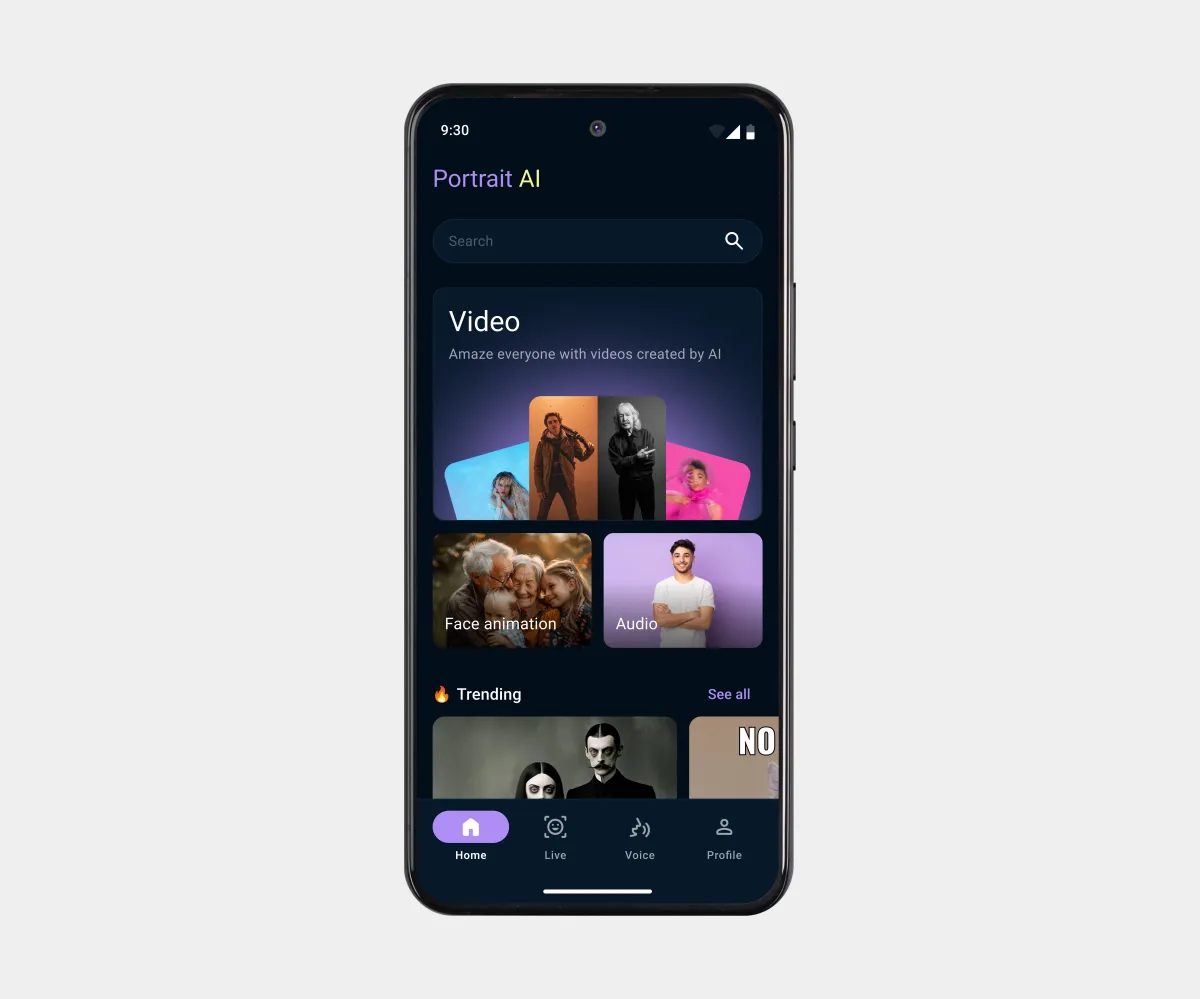
An Android app that brings users’ photos to life by turning them into videos with sound.
My collaboration:
Aligned requirements with the Project Manager and validated solutions with the Team Lead during design reviews.
Goals
Main task:
Create wireframes and UI design for an Android app that turns static photos into animated videos with sound in just a few taps. Combine AI technology with an extremely simple UX for a mass-market audience.
Challenges:
- Show the difference between the Live, Voice, and Templates features without lengthy instructions;
- Display a large number of video templates without losing quality or loading speed;
- Design engagement mechanics for this niche.
Constraints:
- Material Design;
- References.
My role
Role:
UX/UI Designer
Key responsibilities:
- Meetings with the Project Manager and Team Lead;
- Visual style;
- Designing the Home, Live, and Voice sections;
- Preparing the design file for handoff.
Solution
My design process:
- UX: Brief analysis, competitor analysis, analysis of existing wireframes.
- UI: Visual style, working with Material guidelines, Home, Live, and Voice screens.
- Handoff: Layer naming, styles, components.
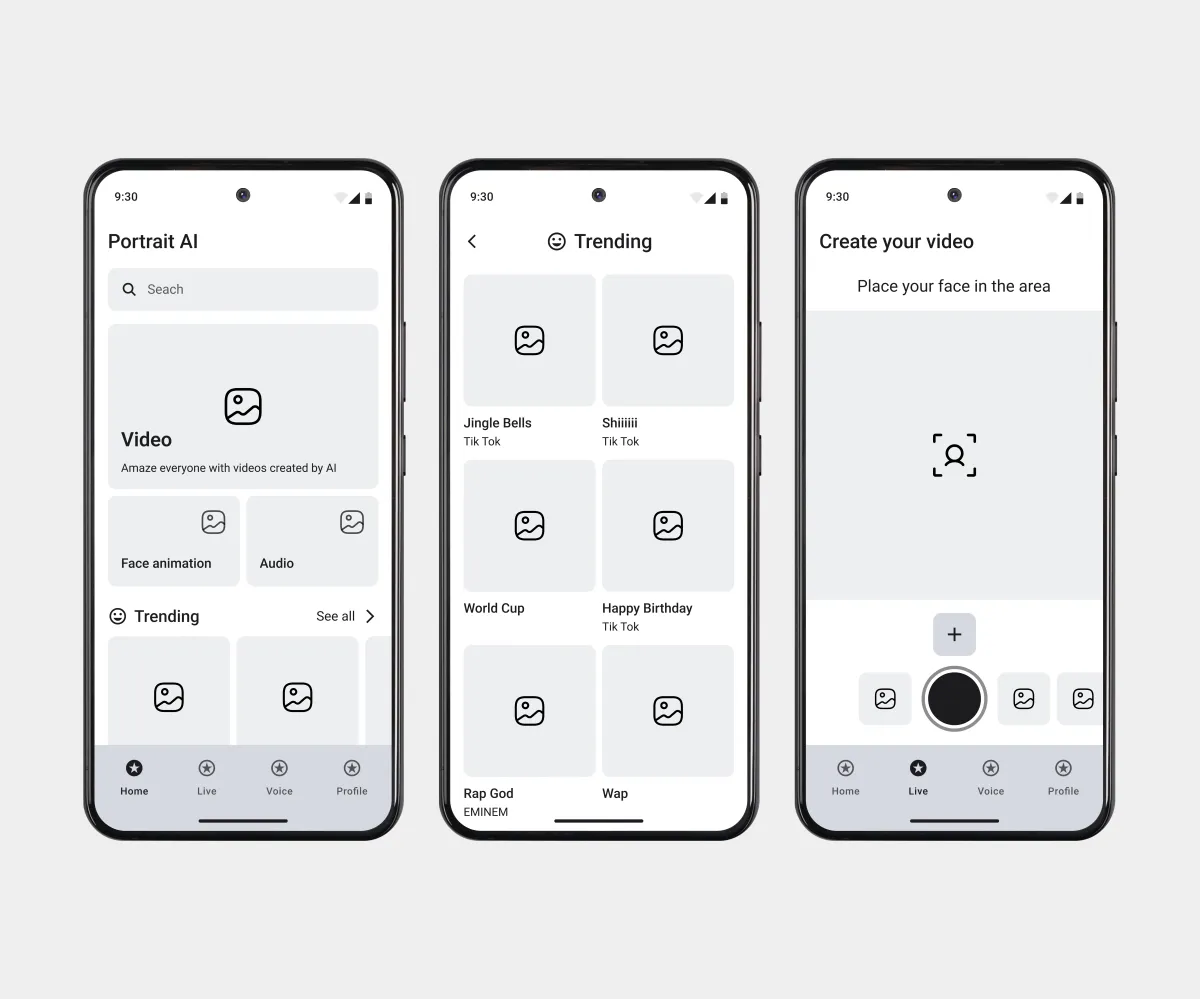
The low-fidelity wireframes define the basic information architecture: the placement of blocks, placeholders, and bottom navigation without distractions from color or content. I built the UI design on top of them.
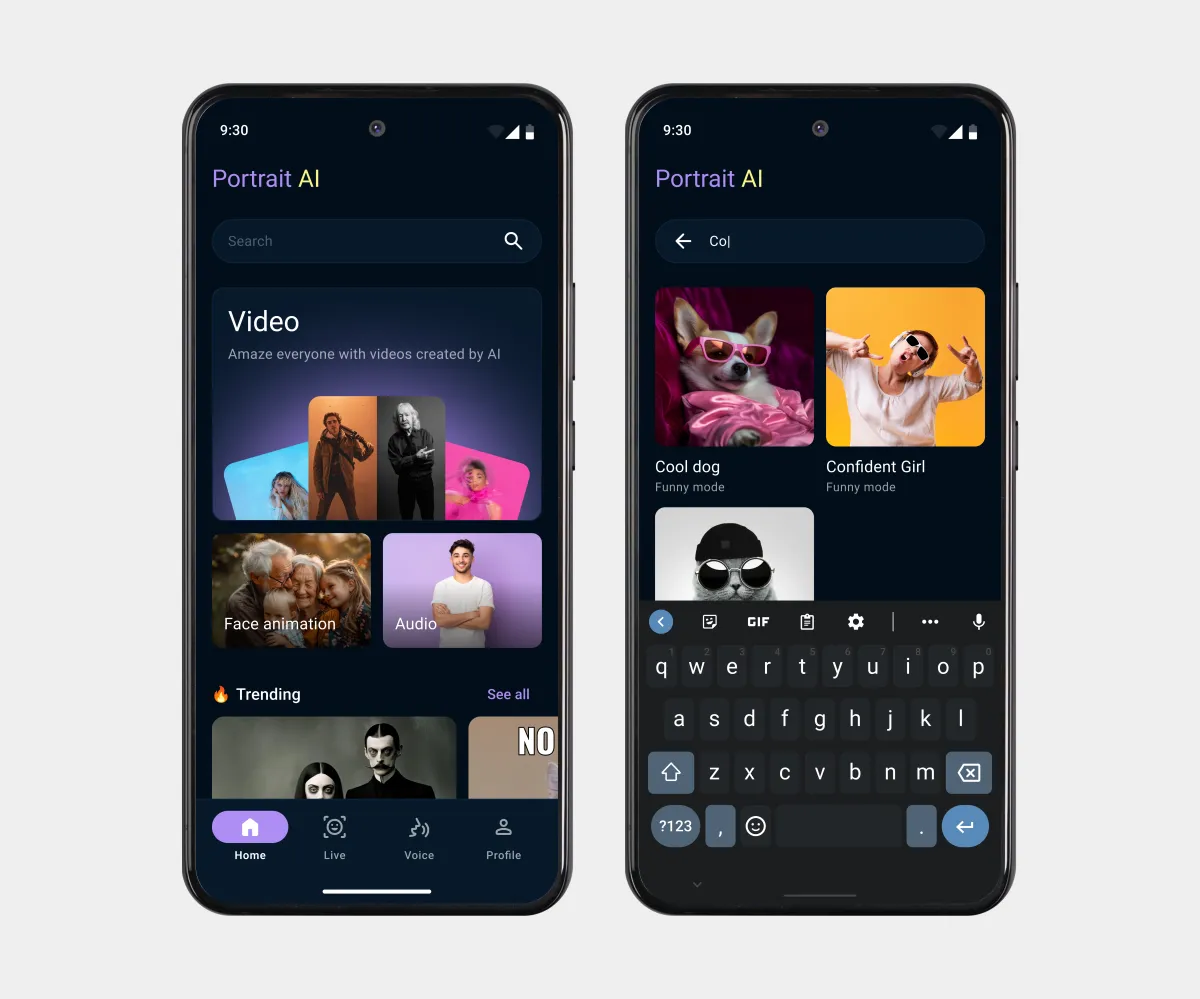
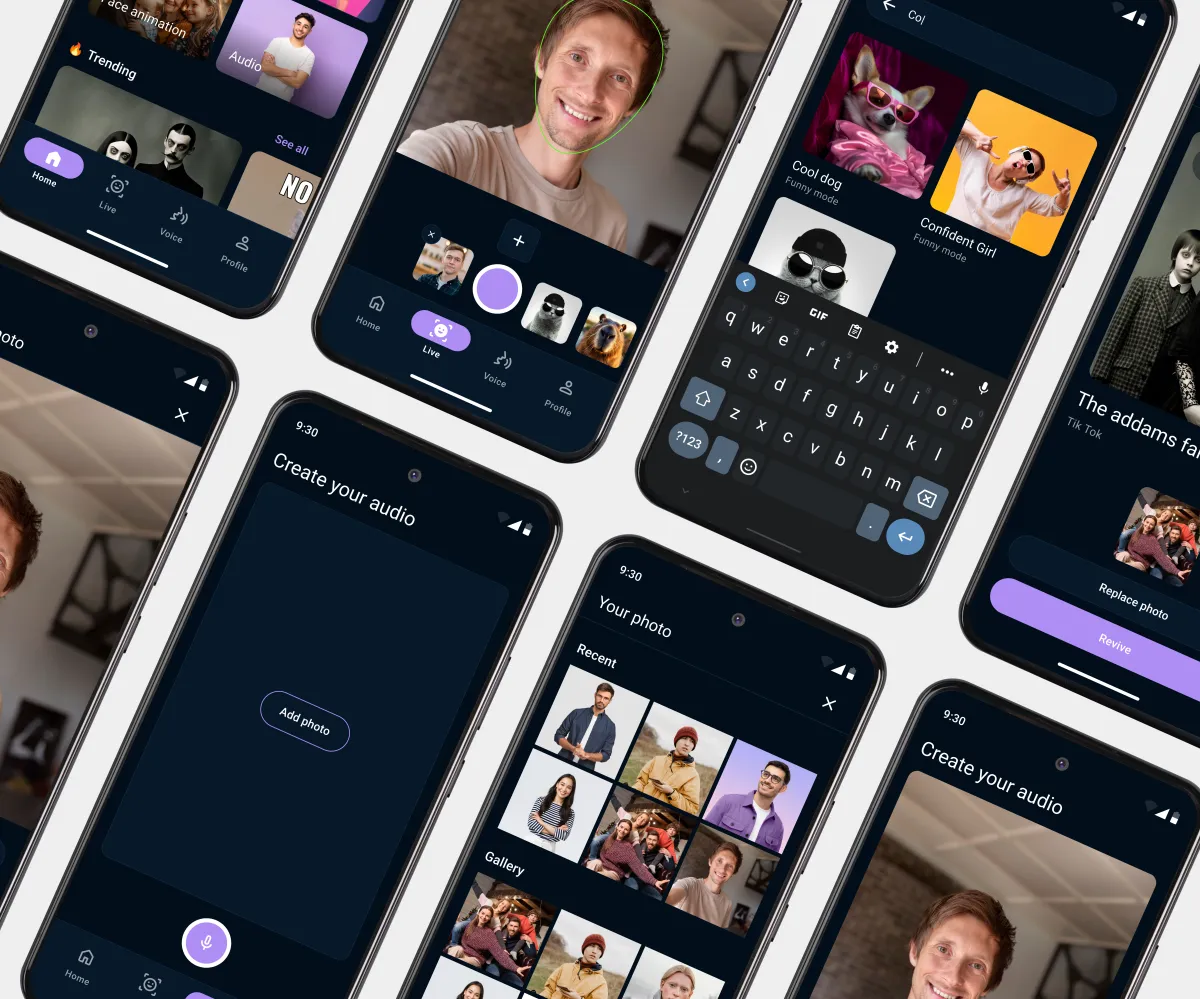
The home screen gives quick access to key features. Search opens with a single tap, showing the keyboard and results right away.
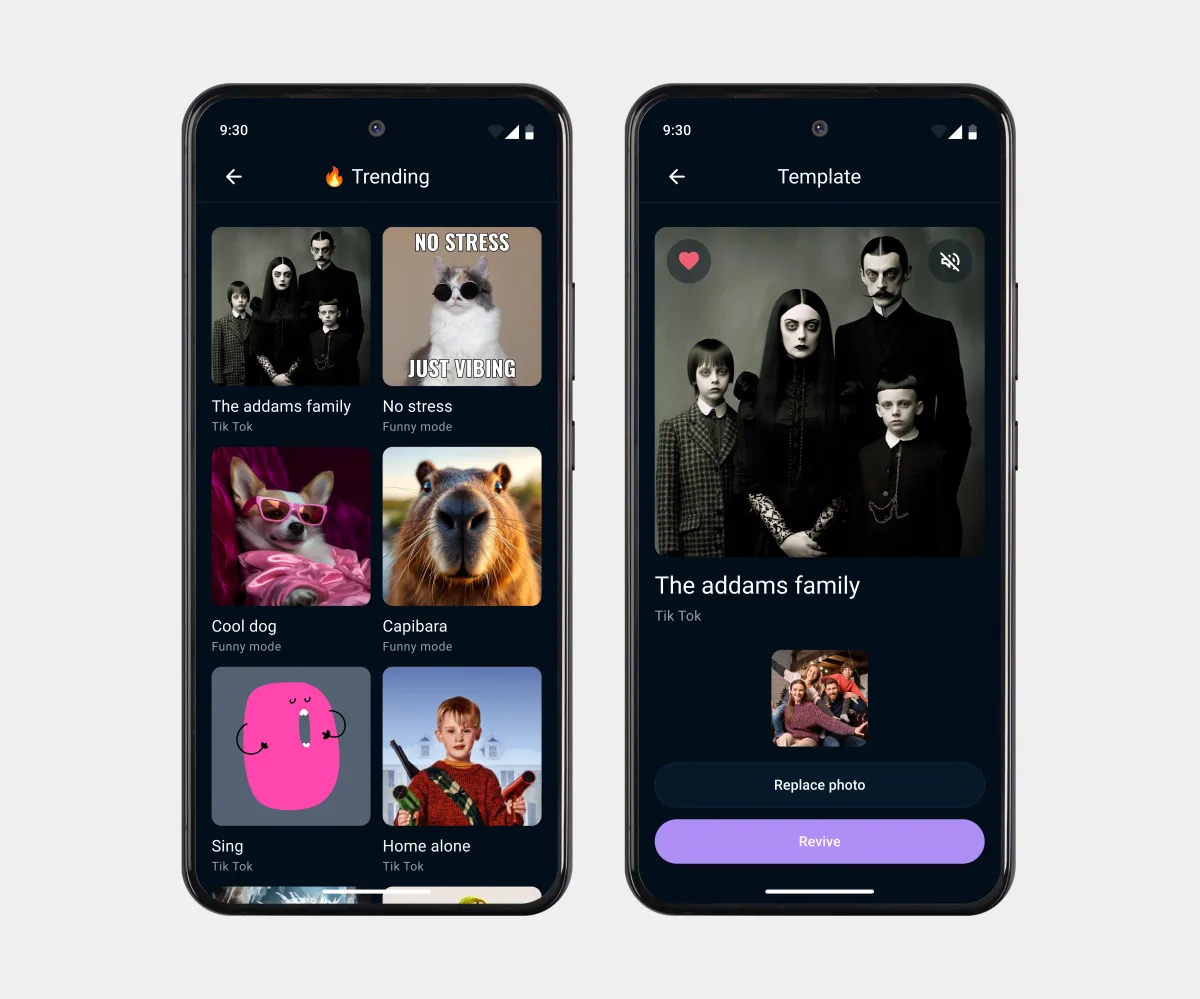
Viral templates are arranged in a grid with source labels. The template screen shows a video preview and lets users pick their own photo.
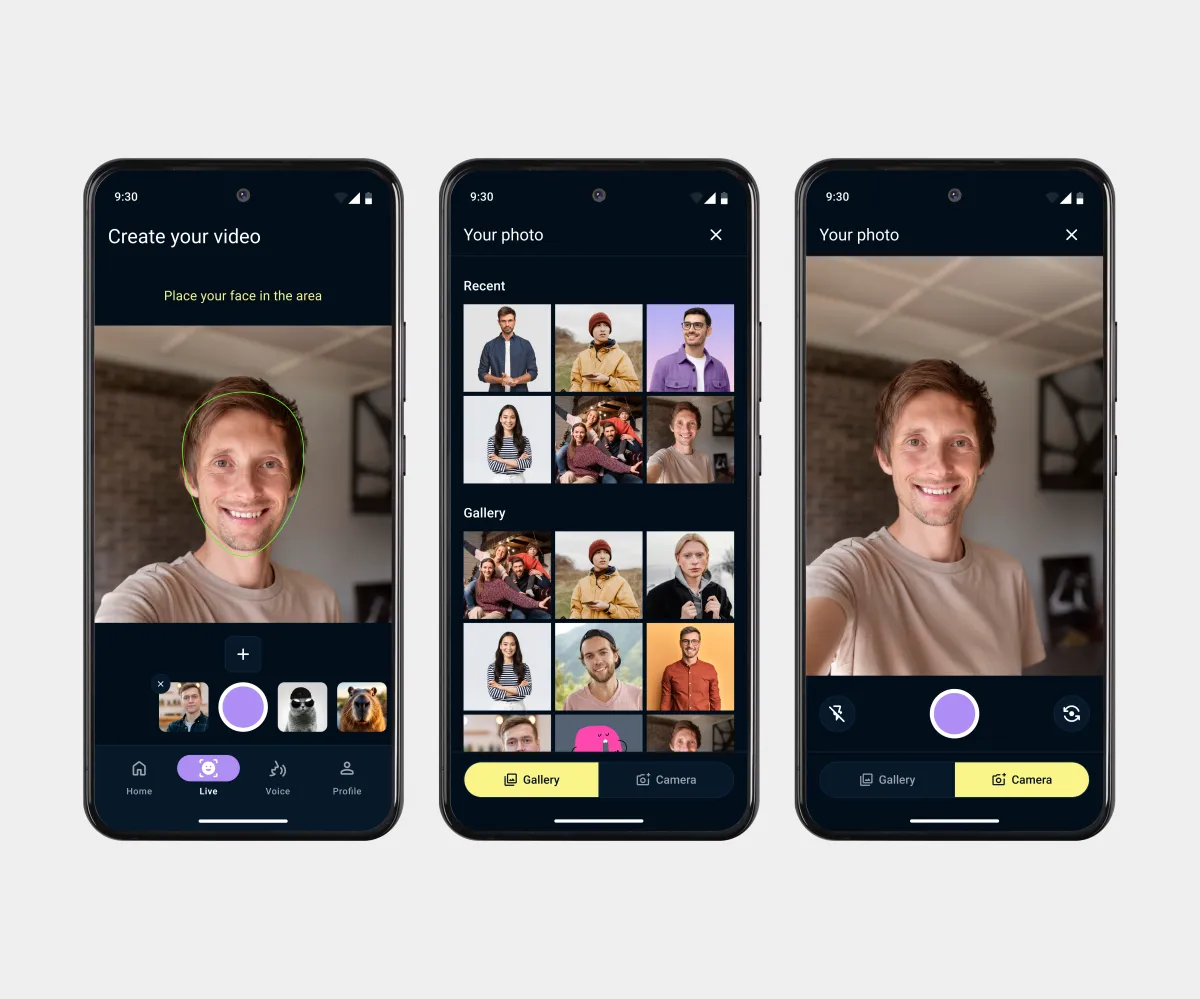
The video creation mode detects faces in real time. Adding a personal photo and choosing a template are visually separated on a single screen. Users can take a photo on the spot or choose one from the gallery.
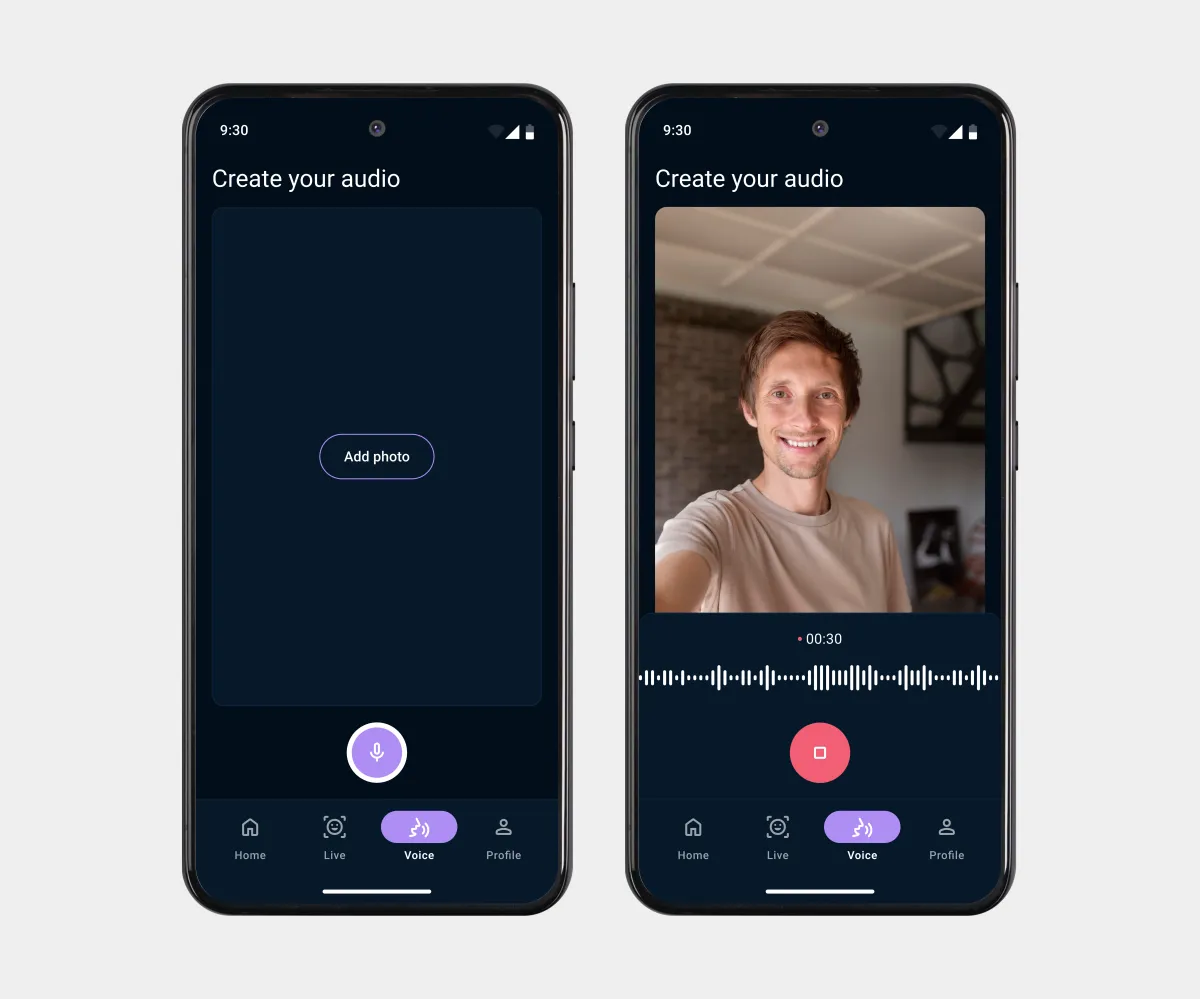
The user uploads a photo, and voice recording starts. During recording, they see an animated sound wave, a timer, and a large stop button.
Conclusion
Results:
- Key flows reduced to 2–3 taps from app entry to the result;
- The Live, Voice, and Templates features are easy to tell apart without instructions;
- Minimalist components and a focus on key CTAs removed visual clutter;
- The Trending section engages users with popular templates from social media;
- Lightweight placeholders mask content loading delays.
What I learned:
- Working with Material Design.